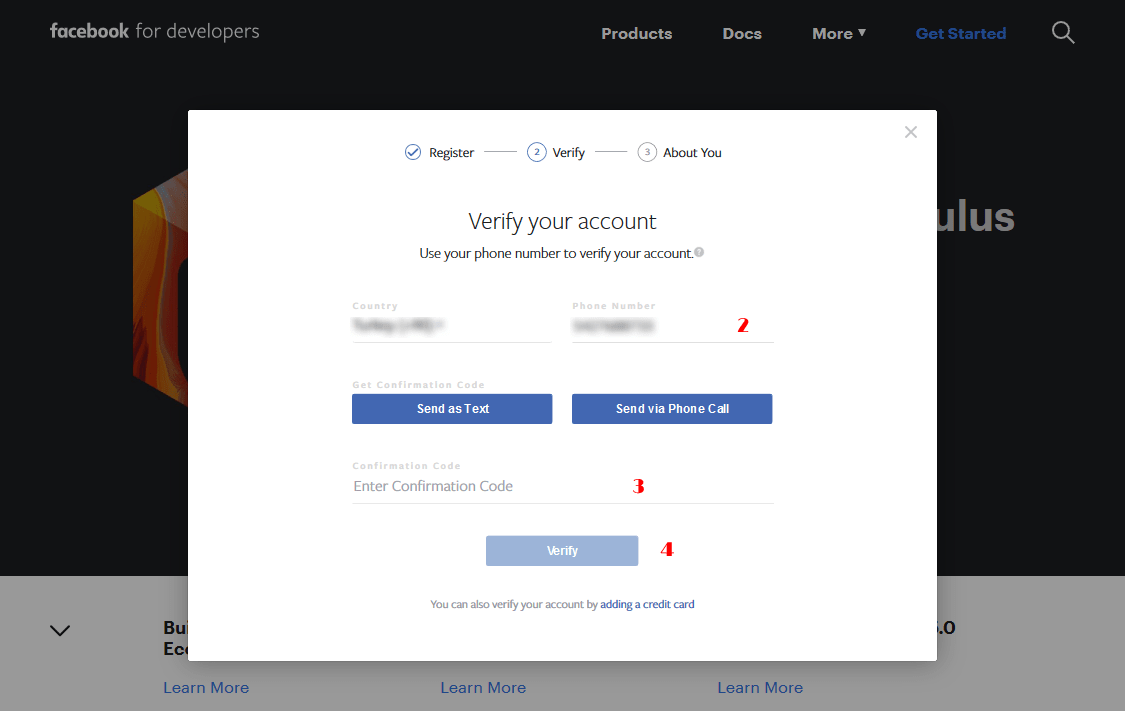
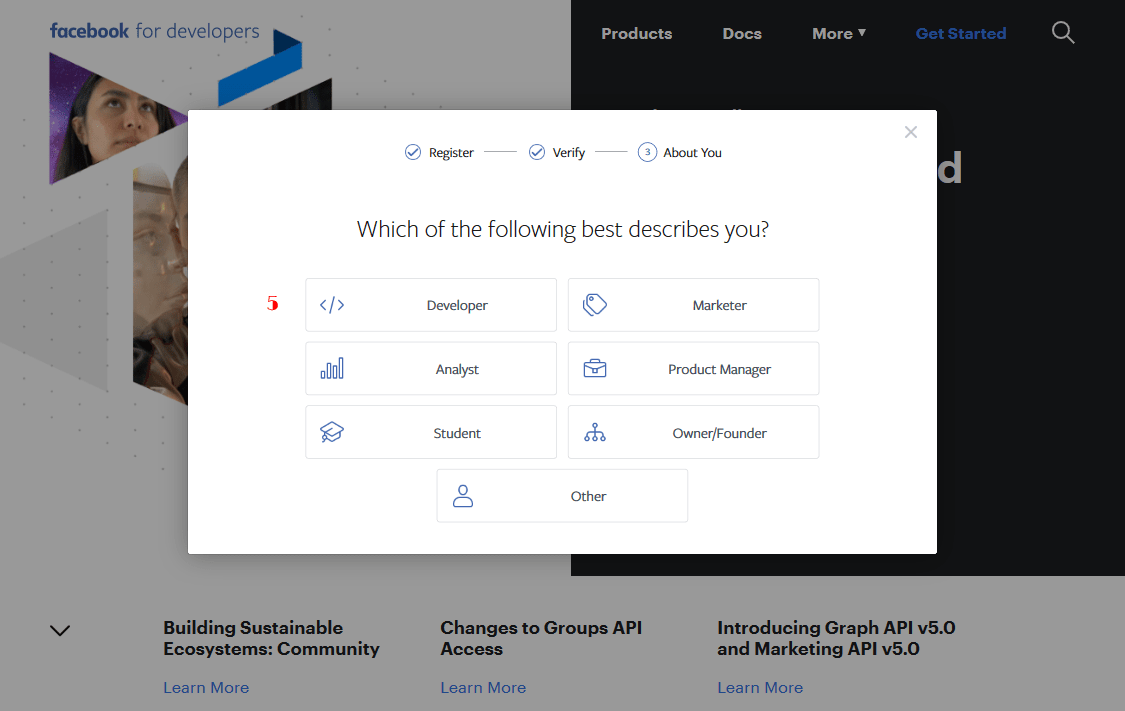
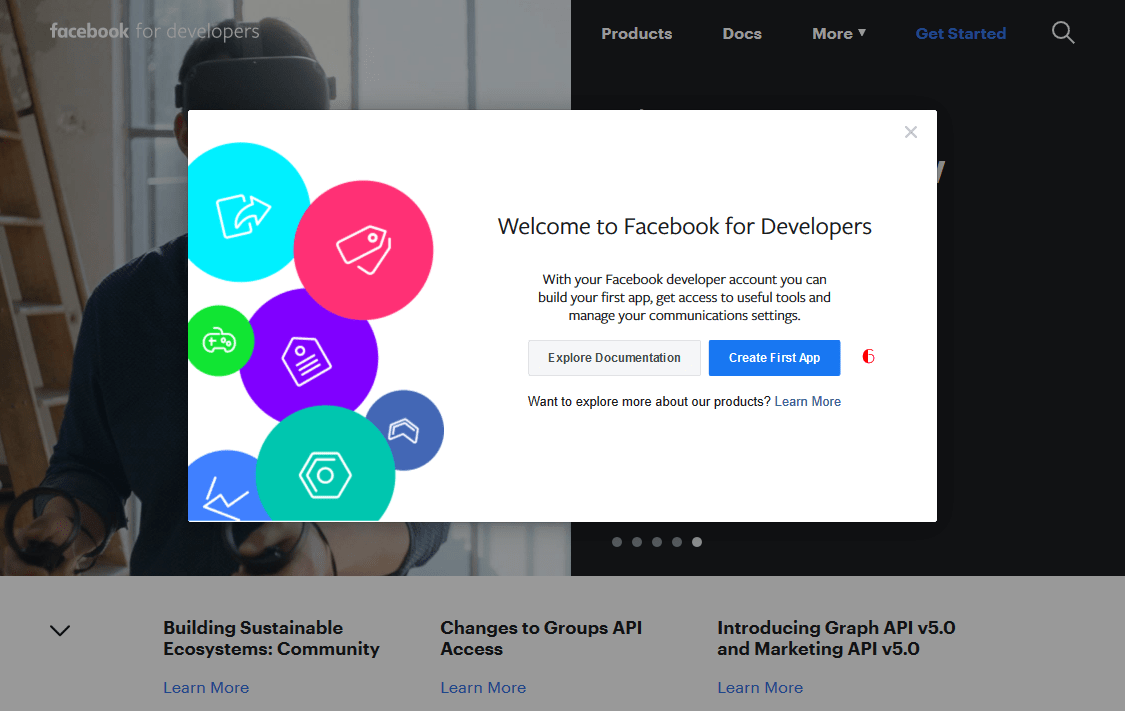
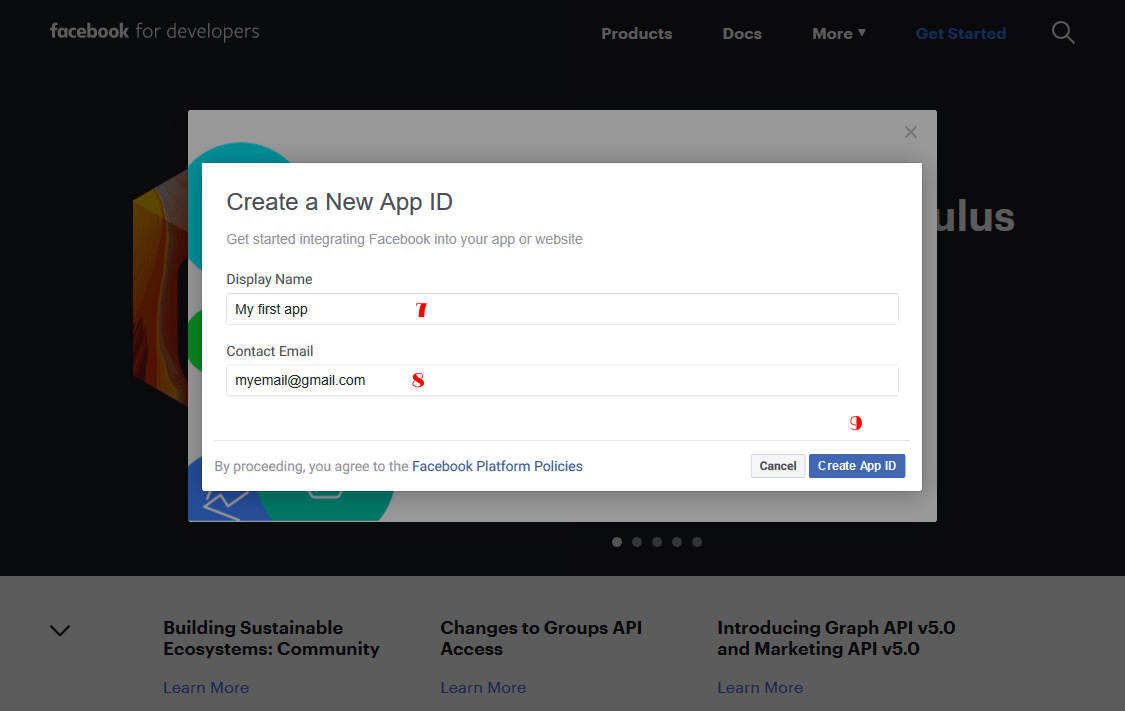
How to register for Facebook developer?

redux-framework domain was triggered too early. This is usually an indicator for some code in the plugin or theme running too early. Translations should be loaded at the init action or later. Please see Debugging in WordPress for more information. (This message was added in version 6.7.0.) in /var/www/vhosts/axentmedia.com/httpdocs/wp-includes/functions.php on line 6260Hi there,
Yesterday, Facebook announced changes to the Instagram and Facebook platforms “to continuously improve Instagram users’ privacy and security.” These changes, that got effective immediately, impacted all third-party applications, including Social Board and all of our other social media related products. We are working to address any impact, and want to give you an update on what’s happening.
While there are many changes being made to the Facebook and Instagram platforms that impact the content we collect, rest assured that the majority of features and functionality you turn to Social Board for will continue to operate uninterrupted, including many Instagram and Facebook use-cases.
Our developers are resolving issues and restoring services throughout Social Board and all of our other social media related products but, until further notice, the following features are disabled:
Subsequently, we will announce you about all the changes we are going to make in our products to bring back these features as much as we can.
At the end, we disagree with the way Facebook implemented these changes, but we respect the data privacy concerns rocking the industry today, and strongly champion the need for better controls on user data.
We look forward to our future product launches and resolving any issues that arise from yesterday’s update. Please do not hesitate to reach out with any questions or concerns.
Sincerely,
Axent Media
In the world of communications, lots of people are members of various social networking websites. Every company has an official social media page on Facebook or Google+ and lots of companies notify their customers of their latest news or updates using Twitter. Any photographer has his own profile page on Instagram and lots of companies have their own video channel on YouTube and Vimeo.
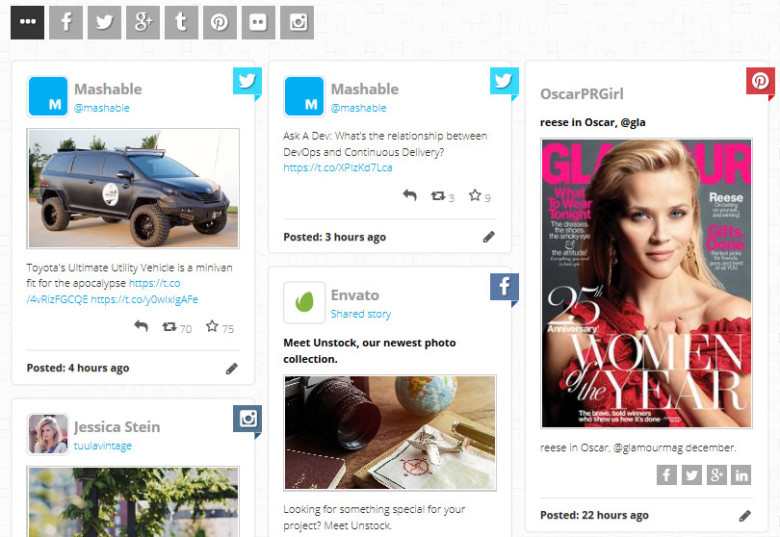
We might be using the social media networks for any of the above reasons but, have you ever been decided to share your social networking activities with your website visitors? This is exactly what we call it Social Stream. A social stream, is a single stream of news, photos, videos and updates from multiple social media networks.
In this article I’m going to introduce you a WordPress plugin that allow you to combine all of your social networking activities into one single social stream and display on your WordPress website as a stylish social stream very easily.
WordPress Social Board plugin allows you to create a social media stream of various social networking accounts with multiple users. The plugin can display your social stream in 6 different formats. It supports 13 and still growing social networks and includes more than 30 different feed options. Your visitors can share your posts on their Facebook, Twitter, Google or LinkedIn profiles from your website. They will also have the option to reply, re-tweet or favorite the Twitter posts on your social stream. They can even filter your social stream by social networks or using custom defined filters. You can even change the style of your social board using the plugin theme manager or customize it via CSS stylesheets, and make it unique to your website.
To start with, first download the WordPress Social Board plugin on your PC.
You can also take a look at WordPress Social Board live demo to see how it’ll look on your website.
After downloading the plugin you will be given a zip file containing another zip file wordpress-social-board-*.zip that it is the original plugin file.
To install the plugin on your website, do the following steps:
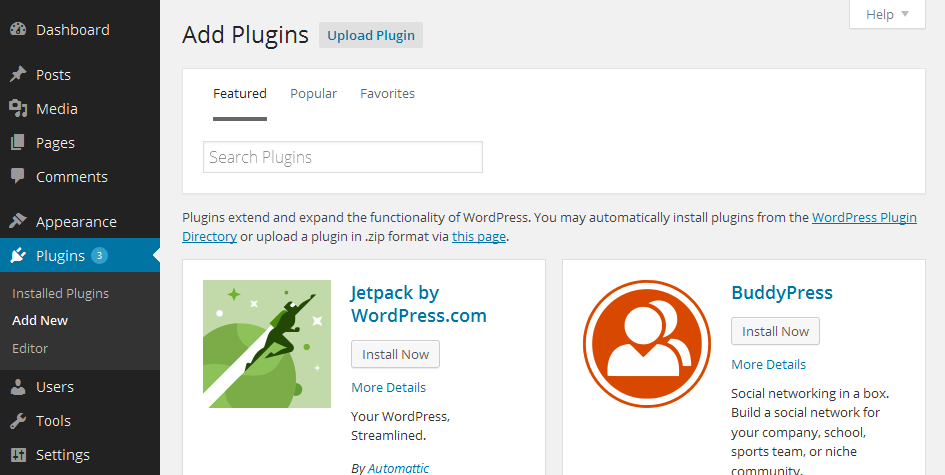
1. Go to your WordPress admin panel. Click on Plugin » Add New button.
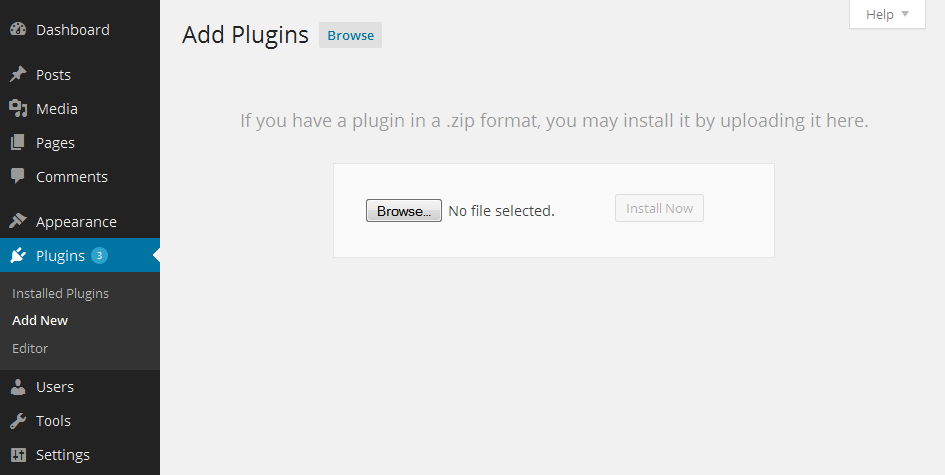
2. Then click on the Upload Plugin button.
You will see a screen like the one above.
3. Click on the Browse button and select the plugin file wordpress-social-board-*.zip (zip file only) from your PC and upload it.
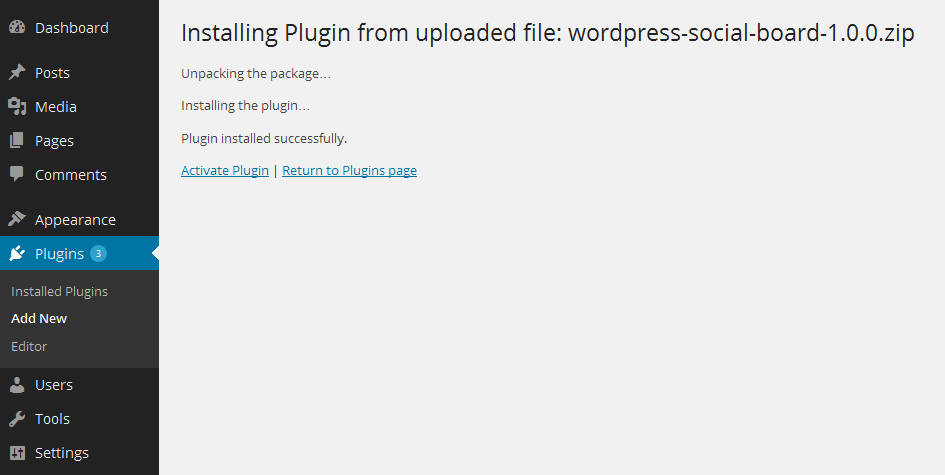
You will be taken to “activate a plugin” page just like this one:
4. Click on Activate Plugin link to complete the plugin installation.
Now, you have installed the WordPress Social Board plugin. After installation, you would have to create your Social Board. Here we will explain you that how to create a Facebook wall on your website.
1. Go to WordPress admin panel
2. Go to Social Board » Add New Board and fill out the form as follows.
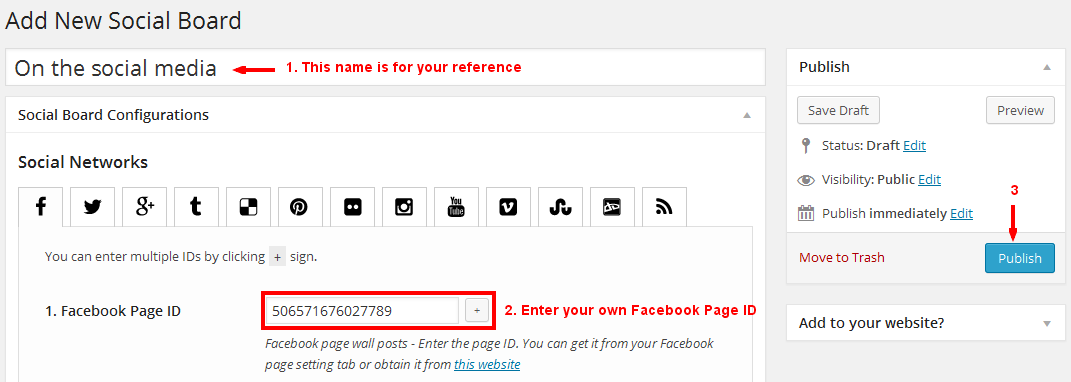
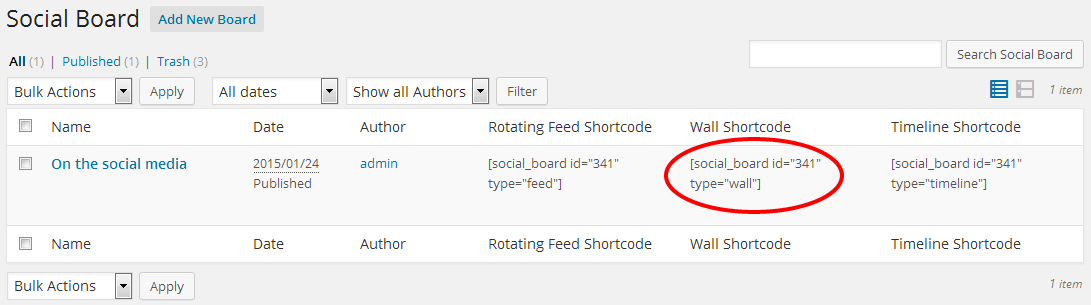
3. Go to Social Board » Manage Boards page.
4. Copy the Wall Shortcode that is marked with a red circle.
5. Go to WordPress admin panel » Pages » Add New Page
6. Paste the shortcode into your created page content as follows. You can also put the shortcode in a post instead.
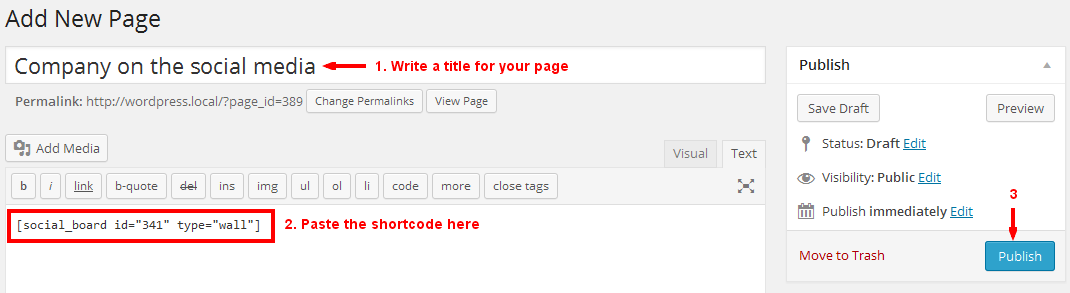
7. Your social wall is ready now. Go to your created page by clicking on the “View Page” button.

If you used WordPress Social Board plugin and you have any questions or suggestions concerning to this plugin please, let us know your thoughts on it by commenting below.